From 2AM Panic to Automated Calm: How Azure Autoscale Changed Everything
There’s a moment every infrastructure engineer knows—the one where everything is fine… until it isn’t.
For me, it happened at 2AM. CPU utilization shot up to 100%, alerts started firing non-stop, and users were quietly dropping off. I was inside Microsoft Azure, manually resizing virtual machines, trying to keep the system alive. It worked—but barely. And more importantly, it wasn’t sustainable.
That night made one thing very clear:
The problem wasn’t capacity. It was control.
🔴 The Problem: Reactive Infrastructure
Like many setups, I was running on fixed resources. During normal hours, everything was stable. But when demand spiked, the system had no way to adapt on its own.
That meant:
- Either overprovision (and waste money), or
- Underprovision (and risk downtime)
And when traffic surged, it always came down to one thing:
How fast I could react.
That’s not how modern infrastructure should work.
⚙️ The Architecture: Simple, Scalable, and Smart
Instead of adding complexity, I simplified the design and focused on automation.
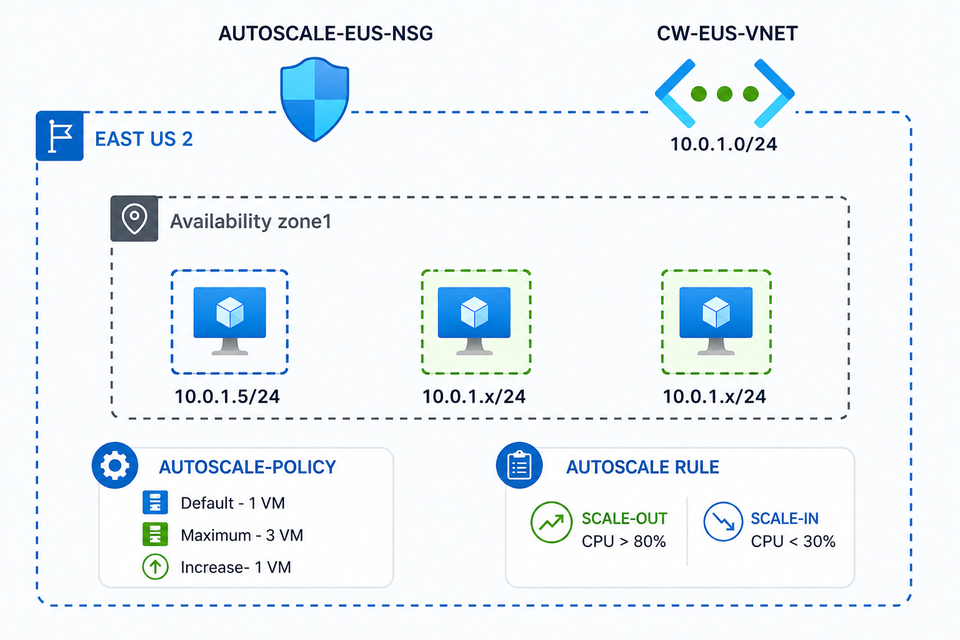
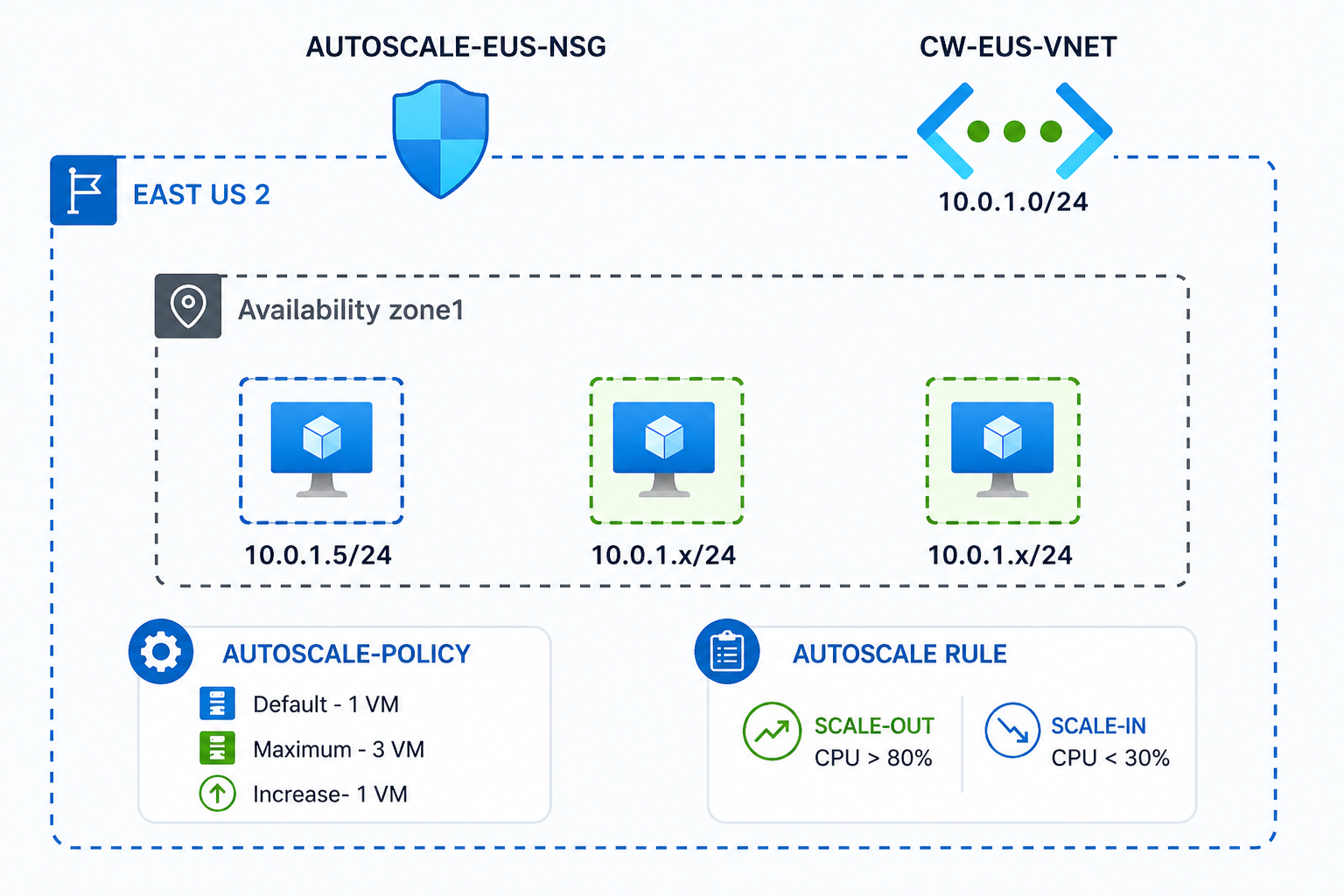
Here’s the actual architecture I implemented:
Azure Autoscale Architecture
🧱 Core Components
- Region: East US 2
- Virtual Network:
10.0.1.0/24 - NSG: Secured inbound/outbound traffic
- Availability Zone: Single zone (can expand to multi-zone)
- Compute: Virtual Machine Scale Set (VMSS)
⚙️ The Shift: Letting the System Think
Instead of fighting the spikes, I redesigned the approach.
I implemented Azure Autoscale using a Virtual Machine Scale Set. The idea was simple:
- Minimum instances: 1
- Maximum instances: 3
- Scale out if CPU > 80%
- Scale in if CPU < 30%
No complex logic. Just clear thresholds based on real behavior.
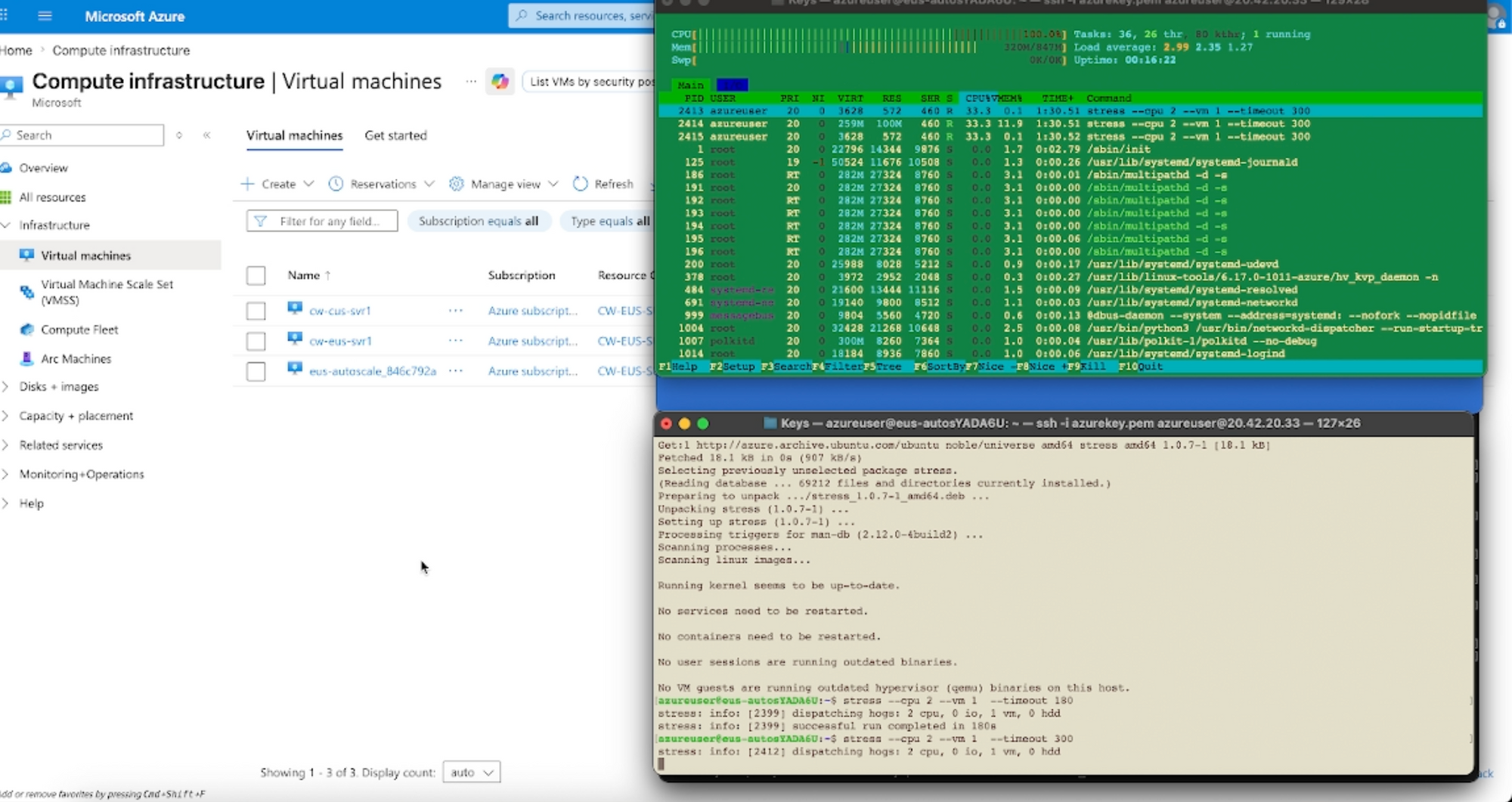
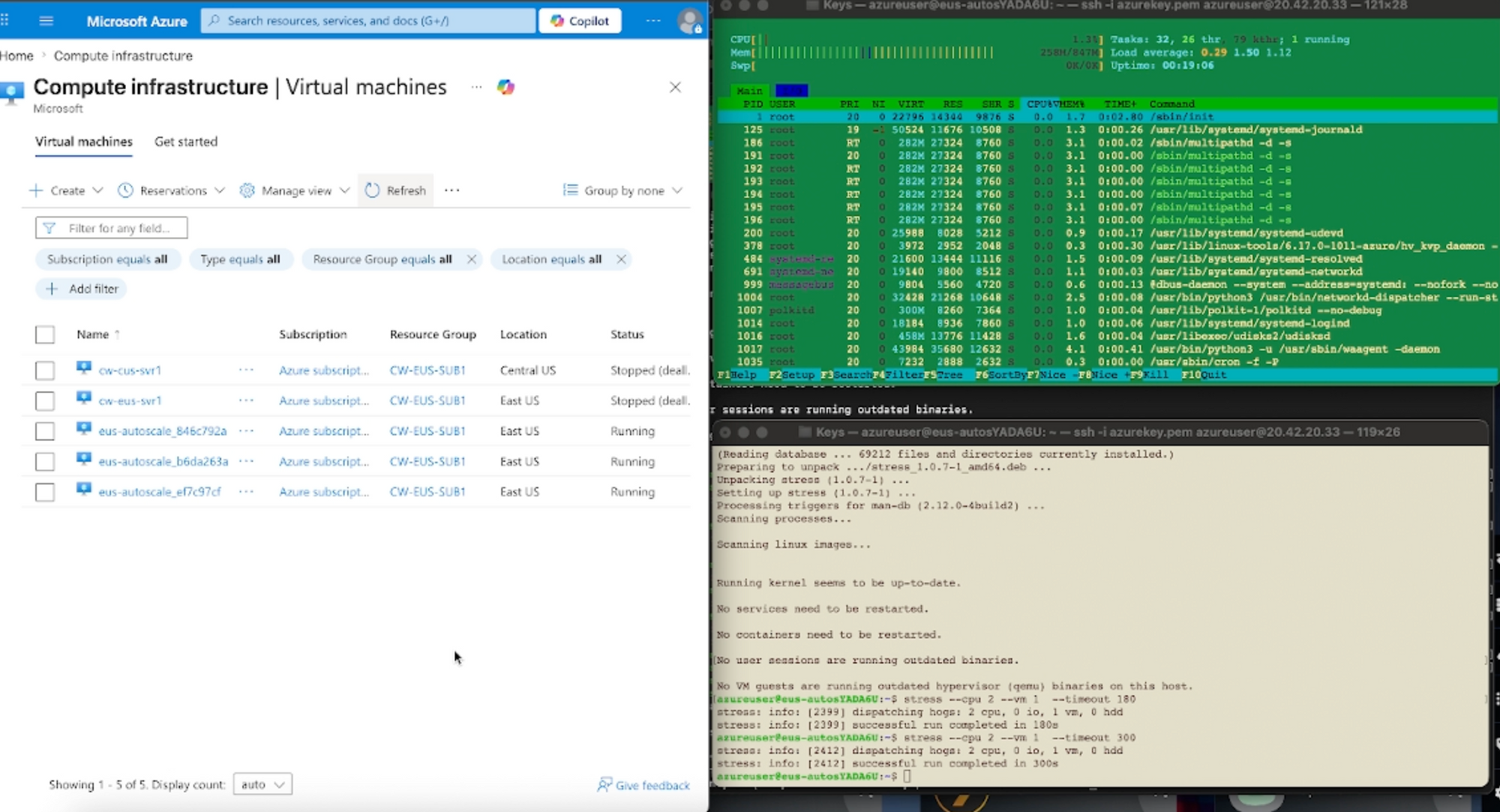
To validate it, I simulated load using a simple Linux stress tool. As CPU usage climbed, I watched new instances spin up automatically. When the load dropped, the system scaled back down quietly.
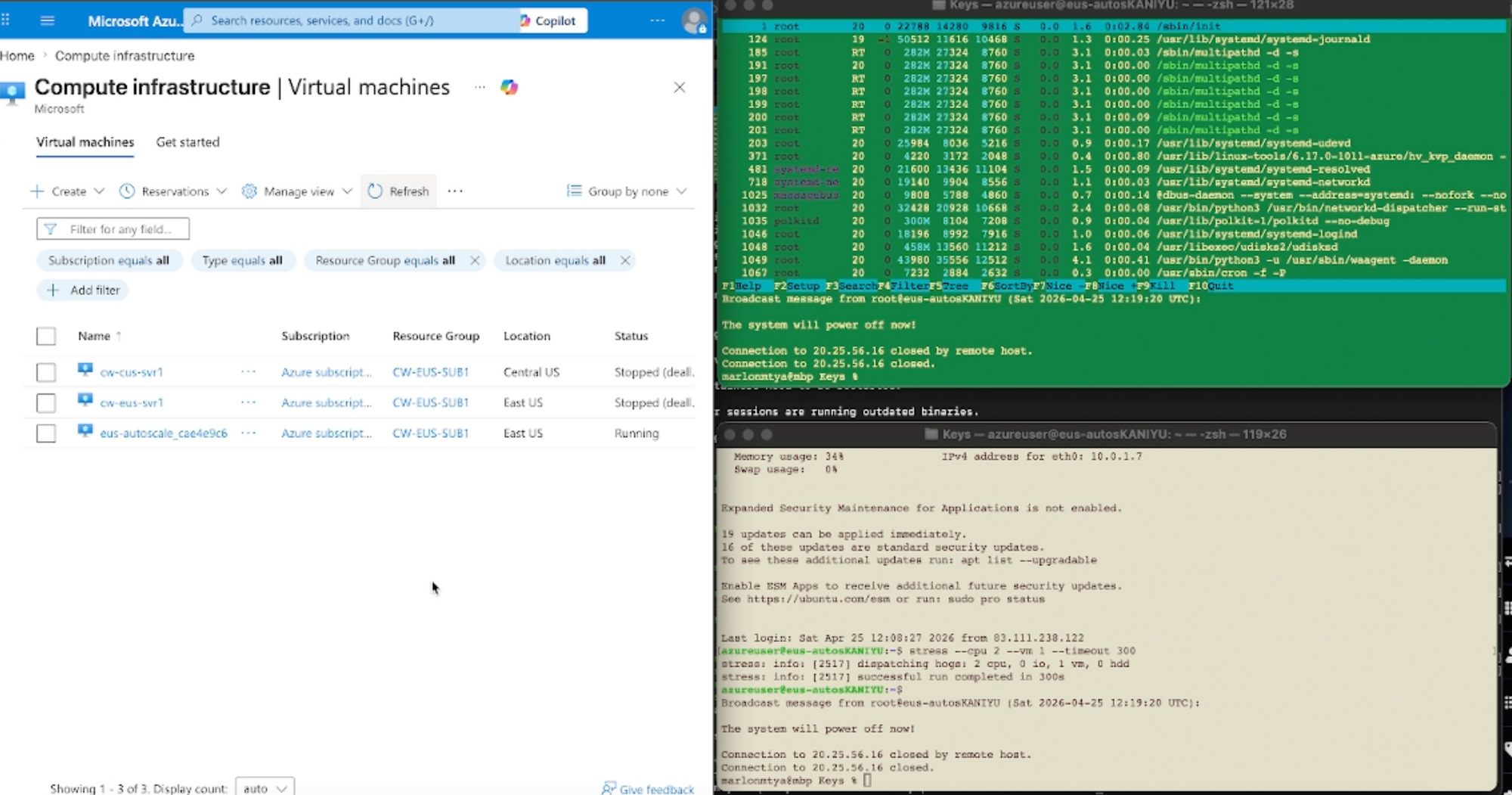
No clicks. No panic.
Just automation doing exactly what it was designed to do.
💡 The Outcome: Stability Without Stress
That one change had an immediate impact.
Performance became consistent—even under heavy load. Users no longer felt slowdowns. And instead of guessing how much capacity I needed, the system adjusted itself in real time.
But the biggest win wasn’t technical.
It was operational.
- No more late-night firefighting
- No more overpaying for idle resources
- No more reactive decision-making
For the first time, the infrastructure felt… effortless.
🚀 Why Autoscale Matters
Autoscale isn’t just about adding more servers—it’s about building systems that respond intelligently to demand.
Here’s what it unlocks:
Cost Efficiency
You only pay for what you actually use.
High Availability
The system reacts faster than any human ever could.
Performance Stability
Traffic spikes are absorbed seamlessly.
Operational Freedom
You stop managing servers—and start designing systems.
🎯 Final Thoughts
That night changed how I think about infrastructure.
Before, I was reacting to problems.
Now, the system prevents them.
With **Microsoft Azure Autoscale, you’re not just scaling resources—you’re scaling your ability to operate efficiently, reliably, and intelligently.
And once you experience that shift…
You’ll never want to go back.